Your face in your ads: save your face or upload your favourite photo, and fill any form with your brand
In a video ad you can be the presenter: you take a selfie, and a person who looks like you says the words you approve. Now Zyadat members have two things that save them time: saved faces to pick for any ad, and brand kits that fill the form for them.
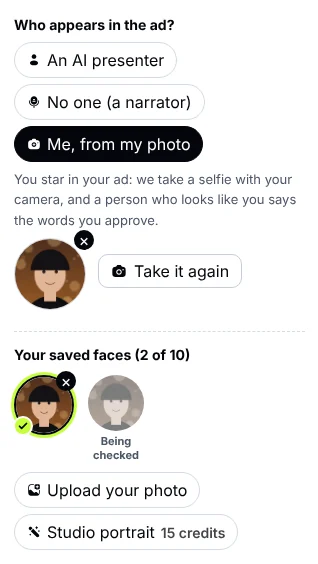
Under “Me, from my photo”: your saved faces. Press one and it presents this ad.
Three ways to save your face
- Save the selfie: after taking a selfie in an ad, press “Save this selfie”. It goes to your faces, and next time you pick it without the camera.
- Upload your favourite photo: have a photo you like better? Upload it, then take a quick selfie so we can confirm it is you. Our team matches the two once, and then you can use it in all your ads.
- A studio portrait from your selfie: your own face with studio, office, shop or street light and background. It takes about a minute at the price of one image in credits, and it is saved with your faces.
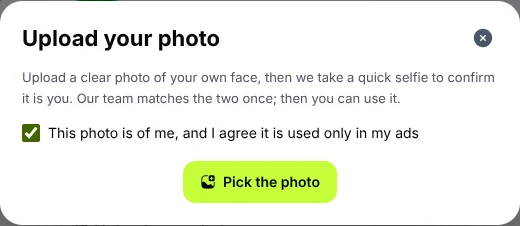
You upload your photo after agreeing it is of you, then a selfie to confirm.
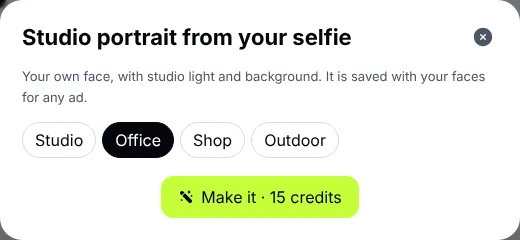
The studio portrait: pick the background and see the price before you start.
Why we check an uploaded photo
So nobody can upload someone else’s photo and make them talk in an ad. An uploaded photo is used only after someone on our team has compared it with a selfie taken with the camera at the same time, and the decision shows on your studio page. A selfie, and a studio portrait made from it, are saved at once because they come straight from the camera.
Rules that protect your face
- Your face goes into an ad only with your consent, and only in your own ads.
- Remove a saved face whenever you like: its files are deleted and any ad being made with it stops.
- No celebrities and no real people other than you, and no faces that look like them.
Your brand kit fills the form for you
Instead of typing your brand’s name, colours and contact every time, save them once in a brand kit: the name, what your business does, your audience, your tone, three colours, your contact and your logo. Your kits sit above the forms of the tools that make things, and one tap fills the fields: the name, colours and contact in a design or motion graphic, the logo, contact and audience in an ad, and what you do and your tone in the writing tools.
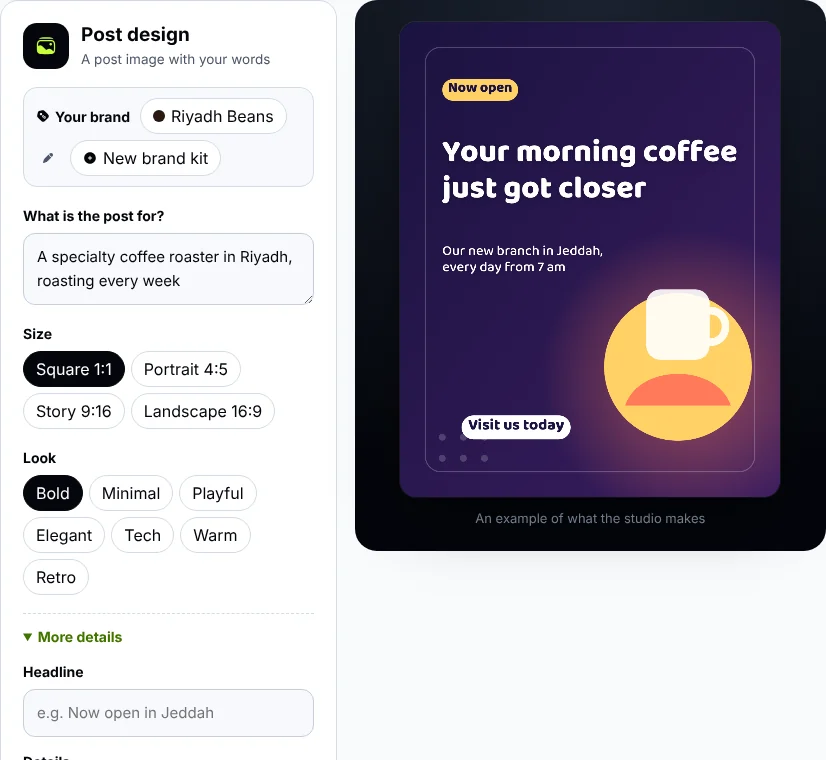
Above every form: your brand kits. Press one and its details fill the form.
How many faces and kits?
- Plus: one saved face and one brand kit.
- Premium: 3 faces and 3 brand kits.
- MAX: 10 faces and 15 brand kits, for agencies and anyone running several brands.
Questions
Is a saved face deleted after a while?
No, it stays until you remove it.
Why wasn’t my uploaded photo accepted?
Usually because the photo and the selfie did not clearly show the same person. Try a clearer photo of your face, save the selfie itself, or make a studio portrait from it.
Can I use someone from my team?
Each person appears with their face from their own account, with their consent and a selfie of theirs.
Try it now
Open a video ad in the studio, choose “Me, from my photo”, and save your face.