Zyadat AI Studio: Your Complete Guide to Making Content in Minutes
If you run a shop or a small business, every week asks for posts, designs, videos and words, usually without the time or a designer. Zyadat AI Studio brings all of it into one page: you describe your idea in your own words, it makes the content with your brand’s name and colours, and you edit, download and post it.
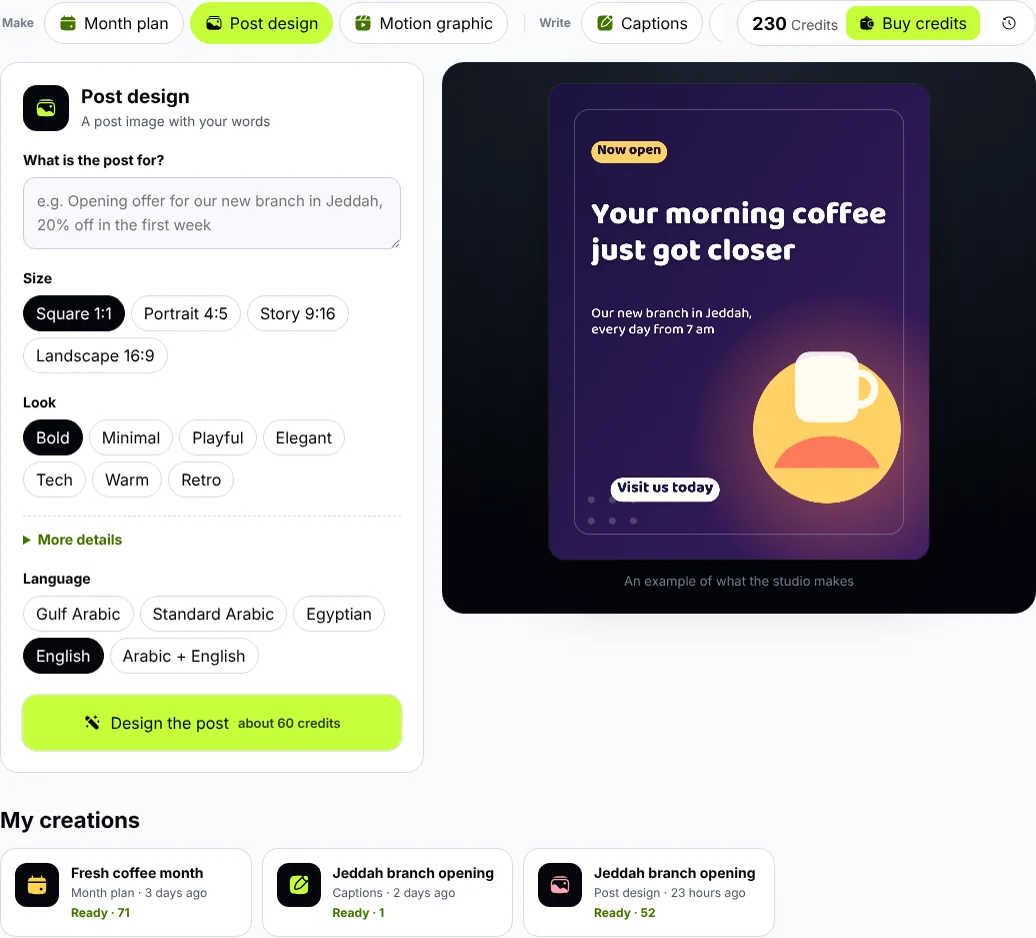
Inside the studio: the tools at the top, your request on one side, the result on the other.
What can you make in the studio?
- Post design: a ready-to-post image with your words and brand colours, square, portrait or story size, and you edit the words, font and colours yourself. Read the guide.
- Motion graphic: an animated video with music and sound effects, from 6 seconds to 15 minutes, in four sizes. Read the guide.
- Month plan: a whole month of posts with dates, times, captions and hashtags, to download as an Excel file or add to your calendar. Read the guide.
- Writing tools: captions, hashtags, a profile bio, content ideas, a video script, and a rewrite of any text. Read the guide.
Start in three steps
- Sign in or create a free Zyadat account, then open AI Studio.
- Confirm your account once: press “Send me the code”, a 6-digit code reaches your account’s email, and you enter it on the same page. Once confirmed, you get free welcome credits to try it.
- Pick a tool and describe your idea with what you know: your brand name, the offer, the audience, the colours. Then press the button to make it.
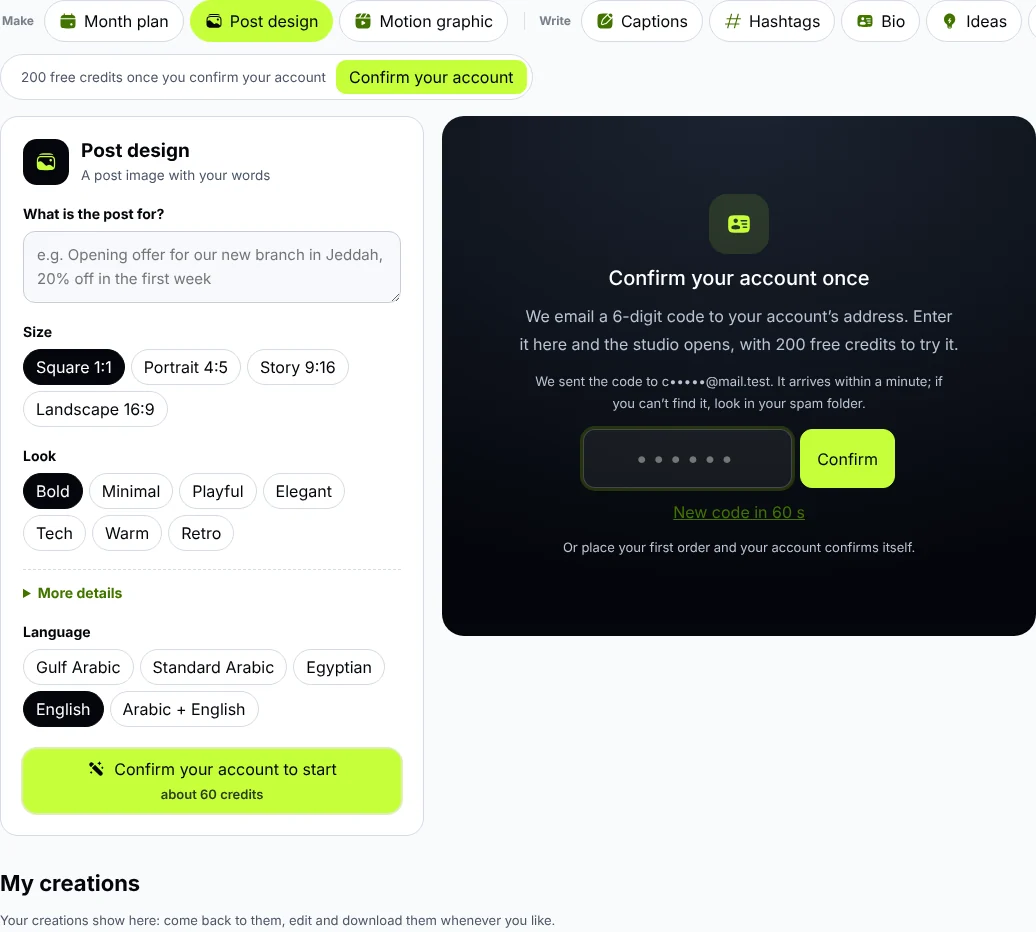
Confirm your account with a code sent to your email; the price is already on the button before you start.
Credits: you see the price before you start
Everything you make in the studio is paid with studio credits. Before you press the button, it shows the usual price, such as “about 25 credits”. When it is done you pay what it actually took, and if it doesn’t finish, nothing is taken from your credits.
- The writing tools cost the least: usually 1 credit a request.
- Designs, motion graphics and plans take more, because they need more thinking and drawing.
- You buy studio credits from your Zyadat balance like any order, your level discount applies, and they reach the studio within two minutes.
A motion graphic from the studio with “Upbeat” music and sound effects, in story size. Watch with sound
My creations: everything is kept
Everything you make is kept in “My creations” under the studio: come back to it whenever you like, edit its words, download it again or ask for another version. You can leave the page while it is being made; it will be ready when you come back.
Tips for the best result
- Give real details: your brand name, the product, the offer and how long it runs, the city. The studio doesn’t invent prices, offers or contact numbers, and it only shows a link or number you wrote yourself.
- Add your brand colours so designs and videos come out in your identity.
- Ask for a change in one sentence: “make the background darker and the headline bigger” is enough for a new version.
- Edit it yourself: the words and fonts of designs and motion graphics can be edited after they are made, at no extra credits.
Common questions
Is the content mine?
Yes, use it on your accounts and in your ads as you like. The music in motion graphics is made by the studio itself, note by note, so it is original and needs no licence.
How long does it take?
Writing takes seconds; designs, motion graphics and plans usually one to four minutes; a long video longer, depending on its length.
Does it write in English and in Arabic dialects?
Yes: Gulf Arabic, Standard Arabic, Egyptian, English, or Arabic with English.
What if I don’t like the result?
Ask for “Another version”, write the change you want, or edit the words yourself. And if it doesn’t finish at all, nothing is taken.
Try it now
Open AI Studio, confirm your account and make your first design with your welcome credits.