What’s new at Zyadat: an app-like phone layout, a smarter assistant, and a studio you can just ask
Here is everything that changed at Zyadat: the site works like an app on your phone, Zyadat AI starts from what you need, AI Studio understands a request in one sentence, and picking a service on the order page is clearer.
Zyadat on your phone now works like an app
On phones and tablets there is now a tab bar at the bottom of the screen with the five places you use most: Home, Orders, New order as a raised button in the middle, Zyadat AI and More. One tap with your thumb, and the bar stays in place as you move between pages.
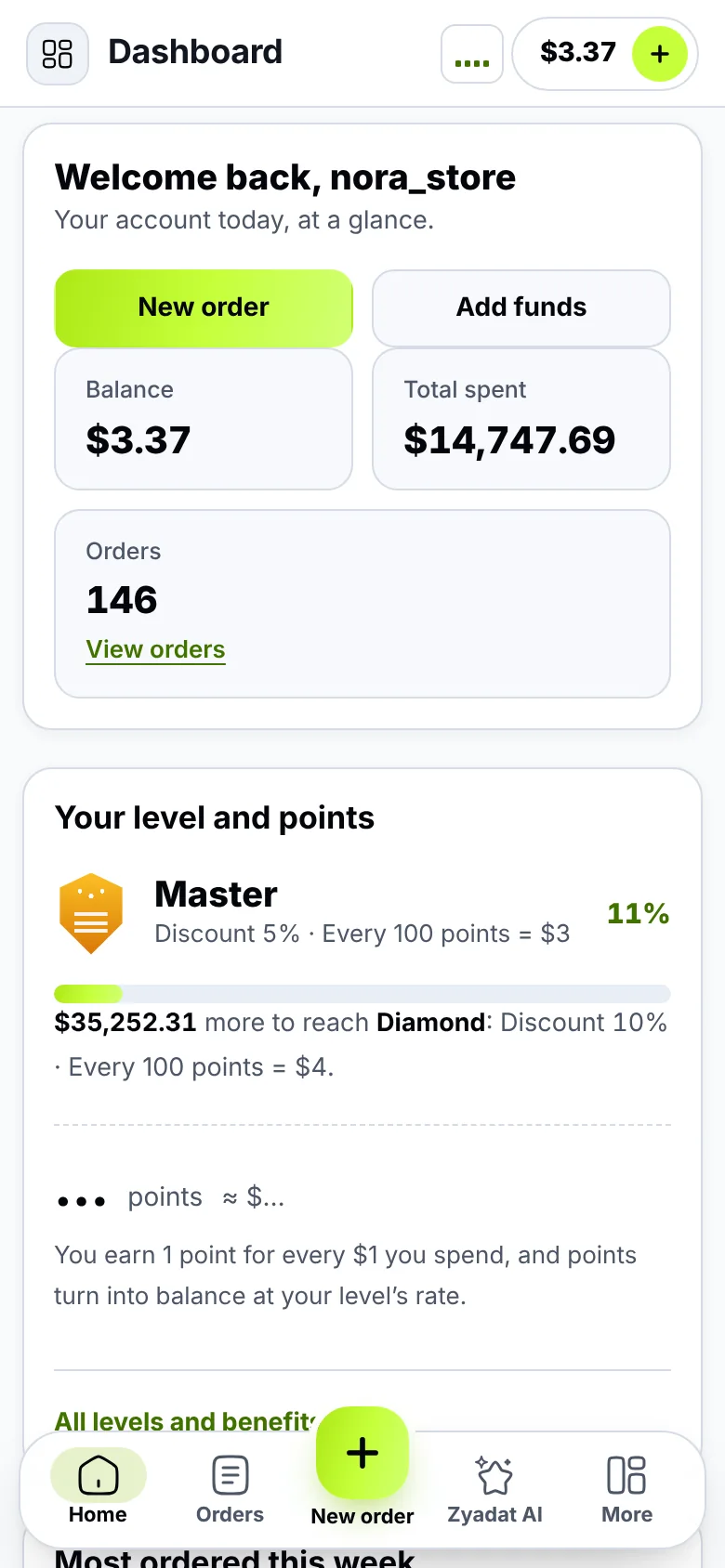
The tab bar, and at the top: the page you are on and your balance. Tap the balance to add funds.
The top of the page is lighter too: the name of the page you are on and your balance, always in view; tap it to add funds.
More opens a sheet from the bottom with everything else: your account, your balance and Add funds; Account, Tickets, Membership and Notifications; every page of the site as icons in their groups; dark mode, the language, and sign-out. Swipe it down or tap outside to close it.
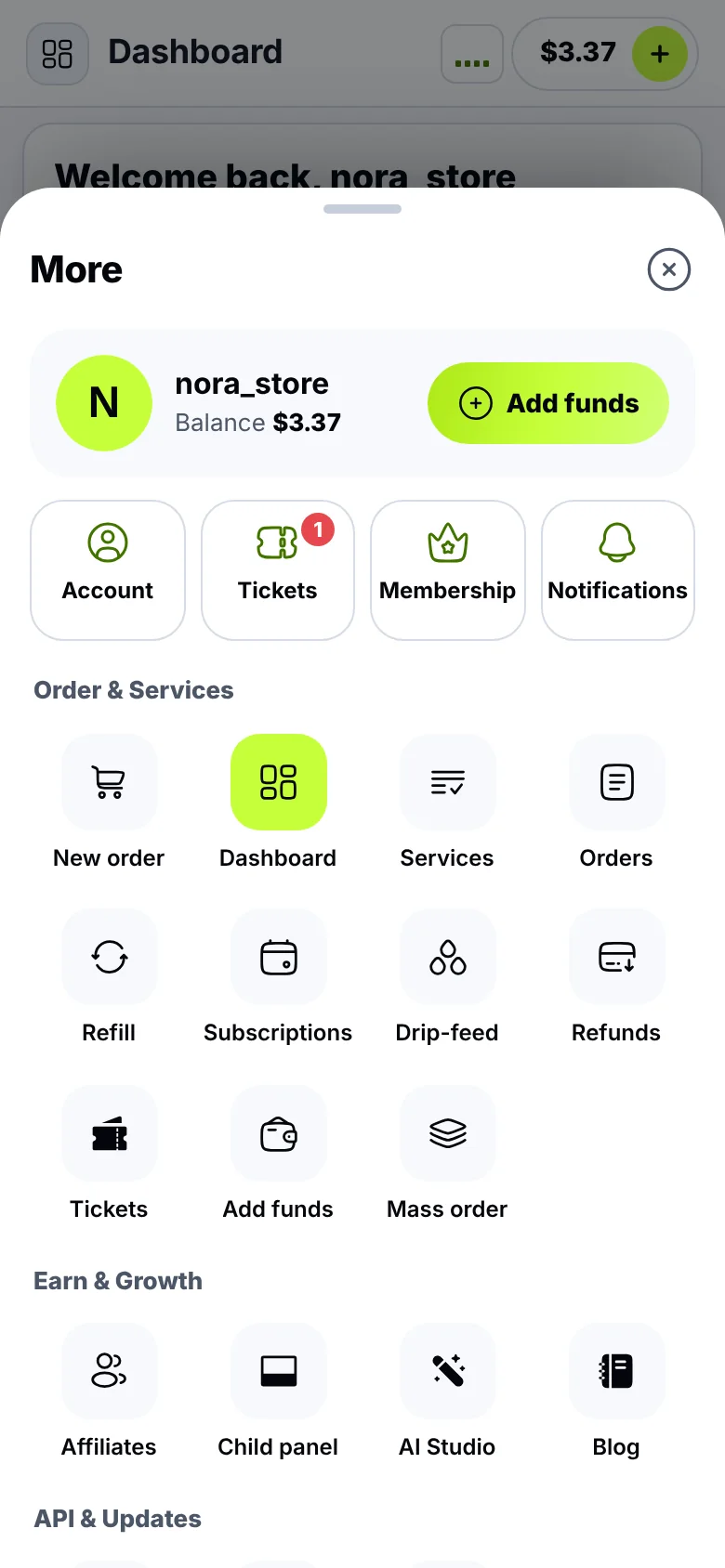
More: your account, and every page of the site in one place.
While you finish an order, the tab bar steps aside for the order bar with the total and the Order button, so you can focus on your order. On a computer nothing changes: the side menu stays as it is.
Zyadat AI starts from what you need
Open Zyadat AI from the tab bar (or from the button in the corner on a computer), and you get clear cards to start from:
- Find a service: write the platform and what you need, and it shows the matching services with their prices.
- Start an order: it opens the order page, and you choose, check and confirm. The assistant never orders for you.
- A problem with an order? Write the order number, and it explains its status and the next step.
- Add funds: the payment methods and the bonus, before you pay.
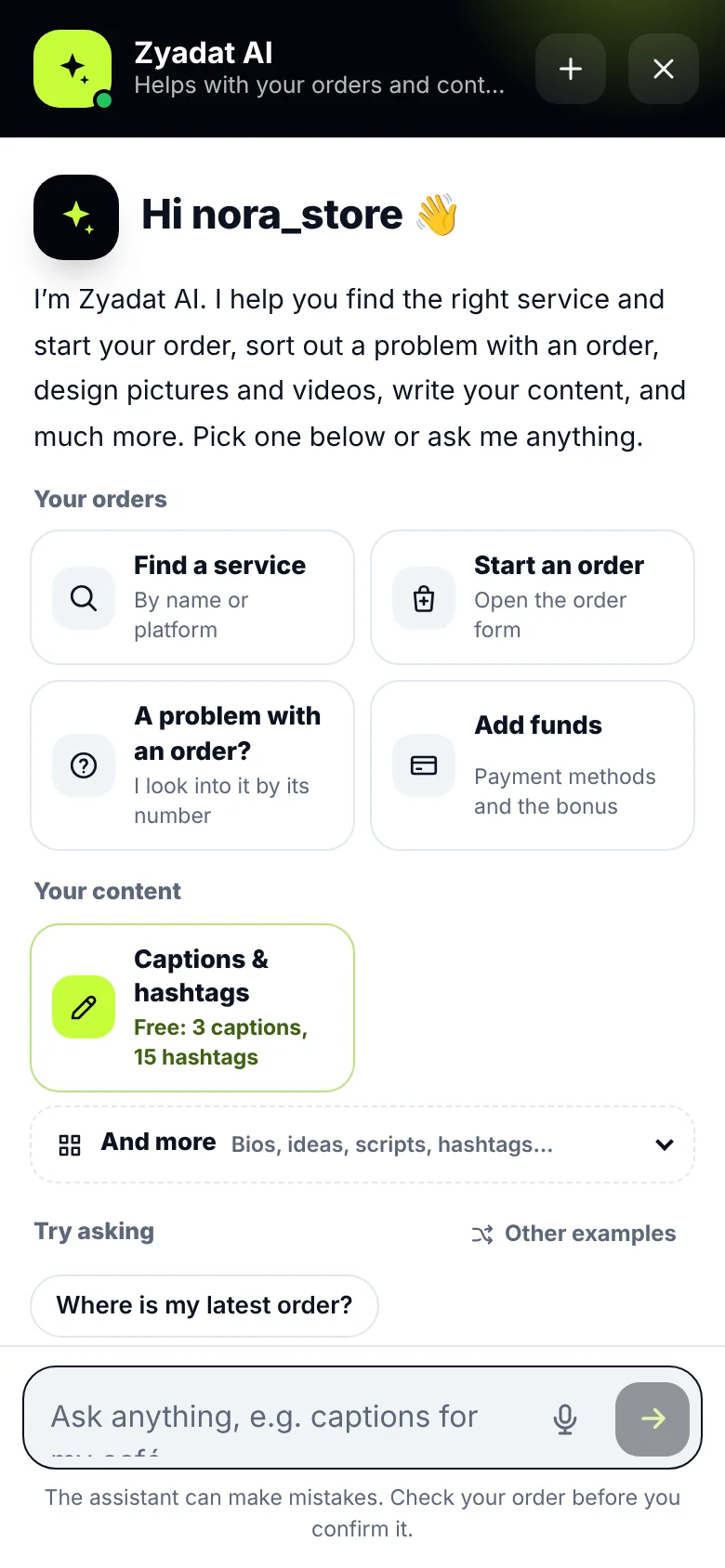
Zyadat AI’s start: your orders at the top, your content below, and And more for the other tools.
Below them are the content tools: captions and hashtags, free up to a daily limit, and And more opens the bio writer, post ideas, a video script, polishing your text, hashtags and ad copy. The examples under the box change every time, and Other examples brings new ones.
Type an order number, and a Check order suggestion appears, one tap away.
"Ask for it in words" in AI Studio
In AI Studio there is now one box above the tools: say what you want in one sentence, like "A 15-second White Friday story video for our perfumes" or "Design a post for 20% off specialty coffee". We pick the right tool and fill in the details from your words, and you check them and see the price before anything is made.
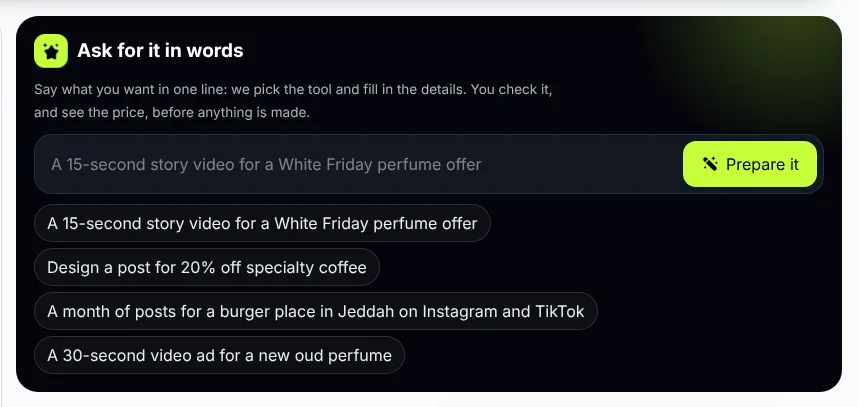
Ask for it in words: one sentence, and the studio prepares the tool and the details for you.
Under the box are ready examples and the occasions coming up: tap one, and it prepares a post or a short video for it. If you don’t like what was filled in, Bring back mine puts the form back as it was.
Picking the category and the service is clearer
On the order page, when you open the category or service list again, the one you picked is highlighted and in the middle of the list, right in front of you, instead of making you look for it from the top. Long names now show in full, so similar services are easy to tell apart.
Mass order reads your lines as you type
On the Mass order page, every line you type shows under it as a card: the service name and its platform’s icon, the quantity, the price and what to check before sending, like a service ID that isn’t in the list, a quantity under the minimum, a missing link, or a link to another platform. You can search for a service on the same page and it writes the whole line for you, with the approximate total and whether your balance covers it.
Questions
Has anything changed on a computer?
The side menu and the buttons at the top of the page are as they were. The tab bar and the More sheet are for phones and tablets.
Where are dark mode and the language on a phone?
In More, on the tab bar.
Does Zyadat AI order or pay for me?
No. It helps you find the service and opens the order page; you are the one who checks and confirms.
Does "Ask for it in words" use credits?
No. It only prepares the form; credits are used only when you press the create button after seeing the price.
Try it now
Open Zyadat on your phone and try the tab bar, or open AI Studio and write your request in one sentence.