Zyadat SI1: images, video and sound in one chat
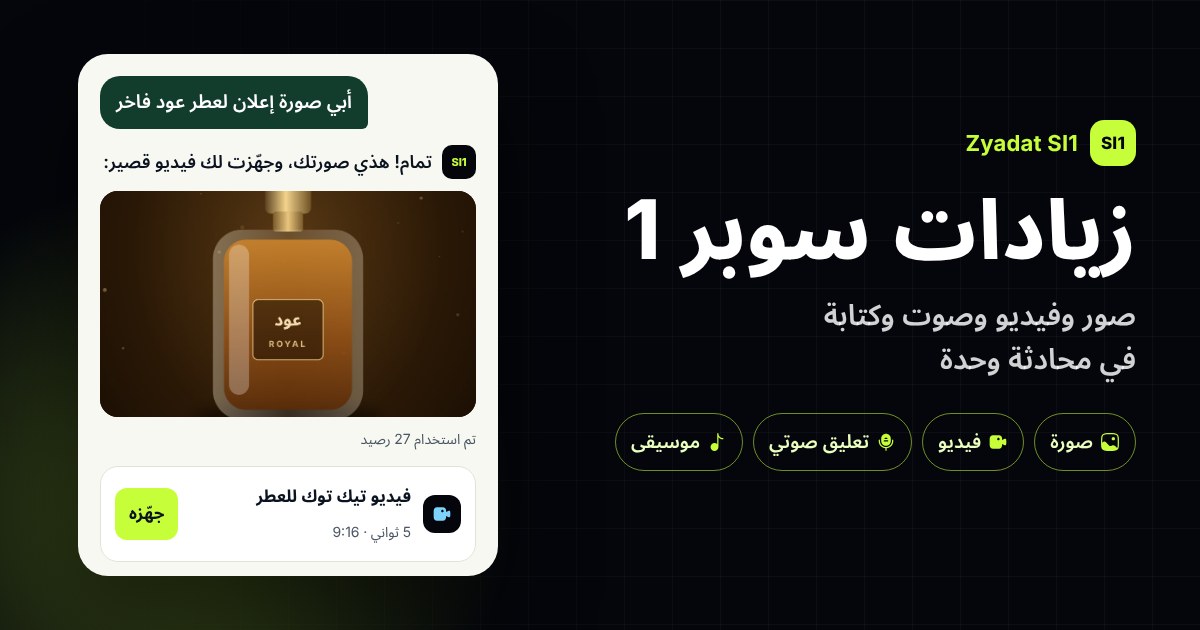
Zyadat SI1 (Zyadat Super Intelligence) is a new assistant inside Zyadat's AI Studio. Tell it what you need in plain words, and it replies and makes the image, video or sound in the same chat.
No juggling apps or writing complex prompts: send your idea or a photo of your product, and it writes, suggests and makes. It suits store owners, content creators and anyone who needs content ready to post, fast.
It answers in your page's language and keeps your chats so you can come back to them.
What it does
- Ad images and posts: from your description, in the size you need: square, portrait, story or landscape.
- Edits of your photos: send up to 4 product photos and say "make the background white" or "put it on a marble table".
- Short videos: 5 or 10 seconds from a description, or from a picture you already have.
- A sharper, larger picture: it upscales your picture and brings out its details.
- Music and sound effects: music with or without lyrics, and short effects for your clips.
- Voice-overs: a man's or a woman's voice, in Saudi, Gulf, Egyptian, Levantine or Modern Standard Arabic, or in English.
- Writing: captions, hashtags, ideas, scripts and bios, written right in the chat.
- Studio tools: it opens the video ad, film, design or monthly plan tool, already filled in with your request.
How to start
- Sign in to Zyadat and open AI Studio.
- Press "Zyadat SI1".
- Pick a quality: Balanced for everyday work, or Best quality for the finest result.
- Write your request, or upload a photo of your product (JPG, PNG or WebP, up to 12 MB).
- It replies with a card for each thing it can make, showing the most it can cost. Press "Make it" on the ones you want.
- Download your results from the chat: files are deleted automatically after a while.
Example: write "I want an ad picture for a luxury oud perfume for Instagram". It replies with an idea, a caption and a card for the picture with its price. Then you can say "turn it into a short video" or "make me a Saudi voice-over", and the chat carries on.
Credits with no surprises
Nothing is made and nothing is charged until you press:
- Each card shows the most it can cost before you press.
- When you press "Make it", that amount is set aside; once it's made, only the real price is charged and the rest goes back to your credits.
- If something fails for any reason, all your credits come back.
- A written answer costs a few credits the same way, and if SI1 can't help with a request, nothing is charged.
Approximate prices today, in credits. The card always shows the exact price before you press, and it may be lower with a membership:
| What | Balanced | Best quality |
|---|---|---|
| A written answer | 3 | 6 |
| One picture | 27 | 33 |
| A 5-second video | 93 | 124 |
| A 300-letter voice-over | 20 | 20 |
| A sharper, larger picture | 2 | 2 |
Quick questions
What's the difference between Balanced and Best quality? Best quality is finer, takes longer and costs more. Balanced is enough for most everyday work.
How many photos can I send? Up to 4 in one message.
Where do I find my work? Your chats are kept in the side list, and you can rename or delete a chat.
Is there a limit? There's a daily limit per account, so the service stays fast for everyone.